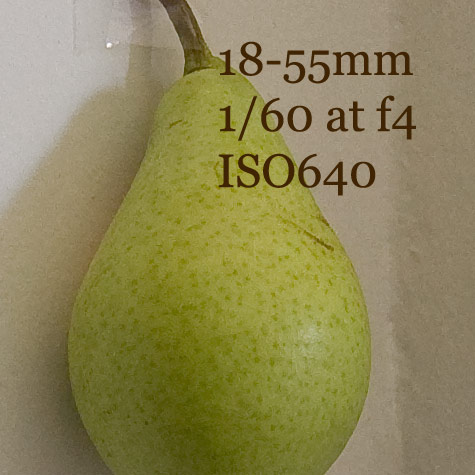
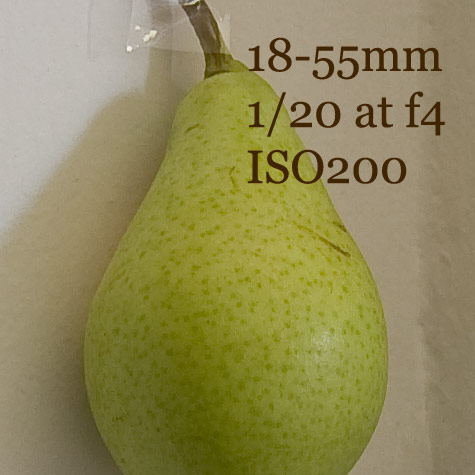
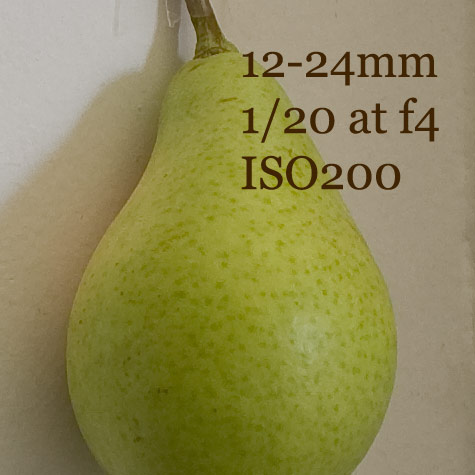
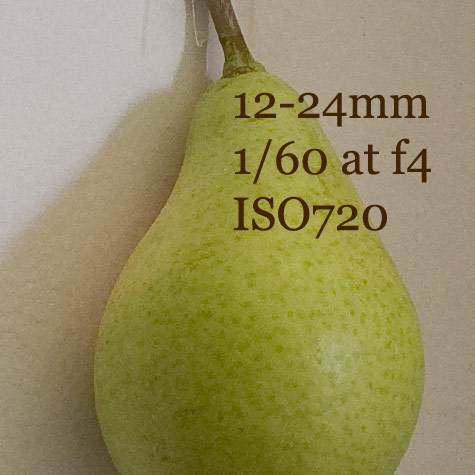
In response to some queries, here are two shots at 100% with the same sharpening parameters input, and processed in Lightroon 1.1.
18-55mm lens at 200ISO.

12-24mm lens at 200ISO.

In response to some queries, here are two shots at 100% with the same sharpening parameters input, and processed in Lightroon 1.1.
18-55mm lens at 200ISO.
12-24mm lens at 200ISO.
As I mentioned in an earlier post, there are now additional sliders that were included with the sharpening tool in Camera Raw 4.1. This first screenshot shows the sliders, with the painted red circle to indicate the icon for the sharpening tool.

Looking at the sliders, the radius slider sets the number of pixels either side of an edge that are going to be effected by the acentuating effect of the sharpen slider. The detail tool increases the fine detail by increasing the contrast effect of whatever setting is set with the sharpen slider. Sliding the detail slider across to its maximum setting will tend to produce a halo around dark/light edges.
The effect of using a high number with the radius slider ‘on top of’ of the detail setting is therefore to create a more blotchy, painterly effect.
The mask tool dampens the effect of the sharpening by working first on the less delineated areas (the cheek and forehead in the following shots) and feathering into the more delineated areas (the eye and hair detail). The masking tool will therefore make less delineated areas smoother and less blotchy, and so moderate the combined effects of the radiusand detailsliders.
All sliders set to extreme left

Sharpening set to 100 – radius set to 1.5

Sharpening set to 100 – radius set to 1.5 – Detail set to 35

Sharpening set to 100 – radius set to 1.5 – Detail set to 35 – Masking set to 55

I really should make a shot of the pear with a bite out of it, to signify the end of the test.
Method
I opened the first image in Photoshop CS3, increased the exposure a little; sharpened to the 100 indicator with the sharpen slider in the Sharpen tool and then applied the same parameters to each of the other shots.
I shot one shot with the 18-55mm lens at fixed ISO200 and then a shot at ISOauto. I did the same with the 12-24mm lens.
The ISOauto setting accounts for why one shot is at ISO720 and one shot at ISO640. I don’t think the difference is significant.
All shots were taken with the focal length set to 24mm.
After I had opened the four shots, I set the rectangle tool to a fixed size of 475×475 pixels in each case. I then copied that section of the photograph into a ‘new’ image and saved-for-web.
Judge the sharpness of each for yourself.