How to clean a sticking Scroll Ball on an Apple Mighty Mouse.

The Mighty Mouse is great. Going back to a mouse that does not have a tracking ball is like going back to steam-powered computers.

But from time to time, the little ball sticks. It will either track up but not down, or down but not up, or… you get the idea.

So I googled for answers and most people suggest that you turn the mouse upside down, hold down the ball with one finger and blow air into the space that is created around the ball, to dislodge any crud.

And it has worked for me. I just blow into the space – no canned air, no compressed air, just a few quick sharp puffs of breath into the little space between the Scroll Ball and the hole it is in, and it clears it.

But last night it didn’t work – maybe I had a little grease on my finger that got transferred to the Scroll Ball; maybe the crud had accumulated. Whatever the reason, blowing didn’t clear it.

So I sprayed a drop of computer-screen cleaner onto a tissue, using only enough to be sure it was just ever so slightly damp but not wet, and rolled that over the ball. Magic – it’s like new.

Ze Mighty Mouse
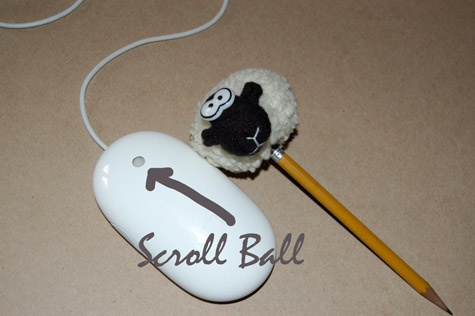
Mighty Mouse


Discover more from Photograph Works

Subscribe to get the latest posts sent to your email.

Comments

6 responses to “How to clean a sticking Scroll Ball on an Apple Mighty Mouse.”

  1. ilg

    having inherited an absolutely filthy mouse and keyboard on my machine at work, the scrollball on the mightymouse did not scroll downward at all. I applied the technique I learned for cleaning the old ball-driven apple mice: Qtip + denatured ethyl alcohol. Since you can’t get inside the device to clean the sensors directly, apply enough to give the ball a light coating (it evaporates very quickly), and roll it around every which way so that the alcohol gets into the mechanism and loosens up whatever gunk is sticking the mechanism. Of course, you must unplug the mouse before doing this and let it sit a bit to dry out before plugging it back in.

    Like

  2. Let me try out this…

    Like

  3. mech

    Worked for me. Did not believe it would. Thanks for the tip mate.

    Like

  4. I just found this entry through Google and it saved the day ! I was ready to take the mouse apart, but this really helps, even fixed an old Mighty Mouse I discarded. Thanks !

    Like

  5. Well, this was eight years ago, and, at least myself, now have the “Magic Mouse”. Trying to get used to the trackpad but I don’t know whether that’s going to fly after all these years.

    Like

    1. I couldn’t stand the imprecision of the trackpad when I first started using it – now I use it in Photoshop for drawing around objects, etc. I look at my hand and wonder how it learned to do that 🙂

      Liked by 1 person

Leave a reply to Alain Geenrits Cancel reply

This site uses Akismet to reduce spam. Learn how your comment data is processed.

Discover more from Photograph Works

Subscribe now to keep reading and get access to the full archive.

Continue reading