Andy Hutchinson is a photography YouTuber from Australia. A few days ago he talked about some standalone tools that do a better job than tools built into post-processing programs like Photoshop and Lightroom.
One of the tools he described is DxO Pure RAW, a demosaicing and noise reduction tool.
What is Demosaicing
He didn’t explain it and I didn’t know what it was, so I looked it up.
Digital camera sensors don’t know what colour the light is that hits them. To the sensor, it is simply more light or less light. So sensors have a colour filter array that sits over the sensor’s pixels. The array is a mosaic of red, green, and blue colour filters.
When you want to process a RAW image on your computer, the program has to ‘read’ the raw data in the picture, using a demosaicing engine to interpret the different colours.
Programs like Photoshop and Lightroom have demosaicing engines built into them.
Some other programs use the demosaicing engine that are built into the operating system of your computer.
As Andy Hutchinson describes it, DxO’s approach to decoding RAW digital sensor information is to train their machine learning model to recognise real-world noise patterns and to differentiate between genuine image features and unwanted artifacts.
At the same time, the software runs DxO’s denoising algorithm on the image data.
Because they do the denoising at the same time as demosaicing, you get a cleaner image than you would if you ran the image through a denoising engine after demosaicing.
And there is an added advantage to using DxO Pure RAW if you use Fujifilm cameras.
Fujifilm took their own route to the construction of the colour filter array over the sensor. The result is that programs like Photoshop and Lightroom have more difficulty demosaicing the RAW images than they do with cameras that use a BAYER colour filter array (almost all other camera brands).
[As an aside, the only other array I can think of is the Foveon arrangement that Sigma cameras use.]
The benefit in using Pure Raw with Fuji files is that its end product is a DNG RAW file rather than a RAF file. So if you then want to use Photoshop or Lightroom to process the image, the part of the process that Photoshop and Lightroom find difficult bit has already been done by Pure Raw.
Plus, Pure RAW also includes a built in lens softness compensation feature and also corrects for lens vignetting, chromatic aberration and distortion.
Quite a mouthful.
Does it work?
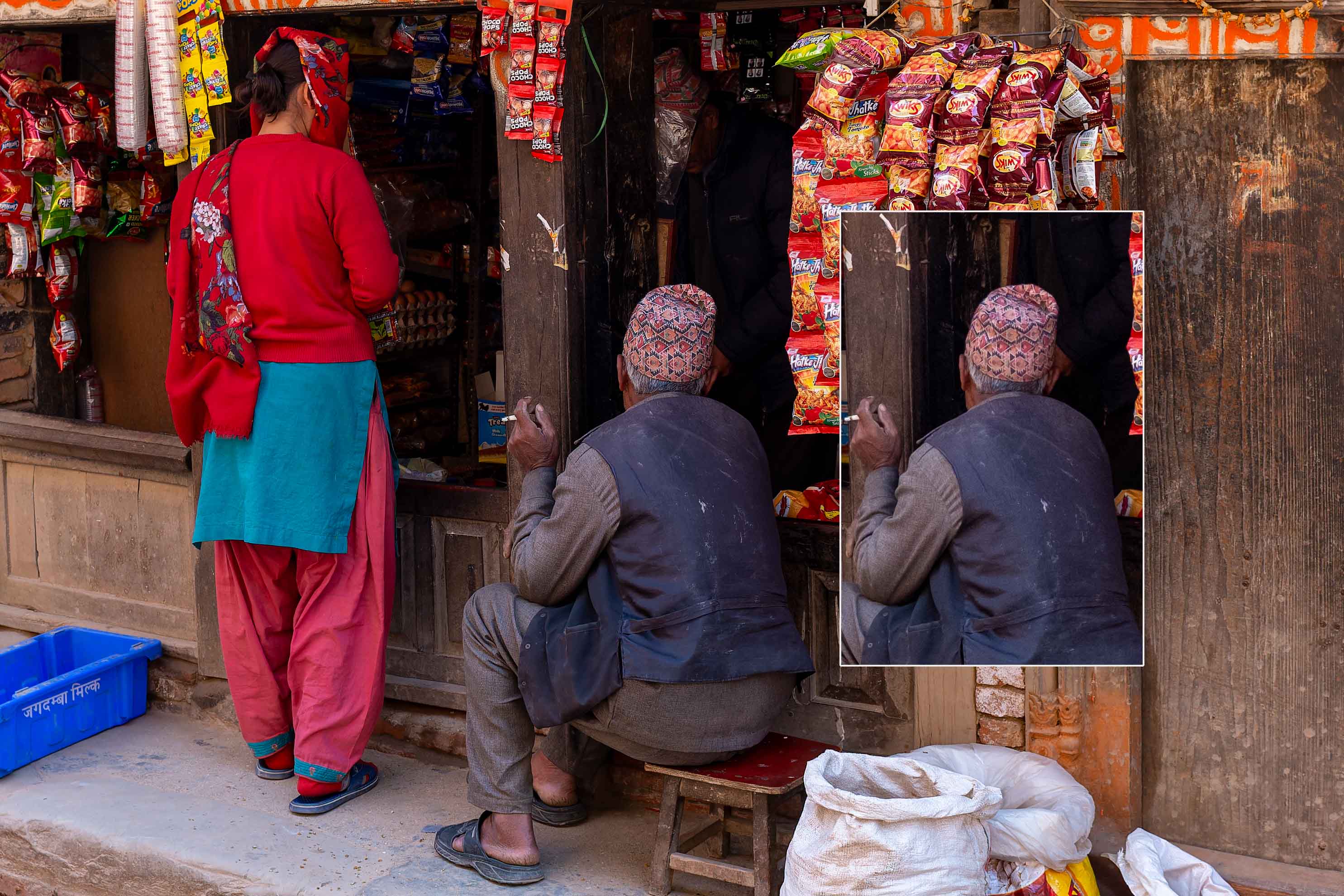
I downloaded a trial version of DxO Pure Raw and processed a Fuji RAW file with it. I processed the same image from scratch with Photoshop and then compared the two images.
What you are looking at is a photo processed with DxO Pure Raw, with part of the same image processed in Photoshop overlaid on it.
Compare the two – click twice on the photo below to blow it up to see the detail. Look at the man’s hat and the back of his waistcoat.

Leave a comment